Table of Contents
ToggleThere’s nothing worse than pulling out your Shark Duo Clean vacuum, hitting the power button, and getting absolutely nothing. Whether your Shark duo clean vacuum is not turning on or it’s running but not picking up like it used to, you’re probably wondering if it’s time to shell out for a new one. Before you do that, take a breath. Most vacuum failures are simple fixes that take 10 minutes and zero special tools. This guide walks through seven common culprits when a Shark duo clean vacuum stopped working, from dead outlets to clogged brushrolls, and shows you exactly how to troubleshoot and repair each one. You’ll save a service call and likely get back to cleaning within the hour.
Key Takeaways
- Most Shark Duo Clean vacuum issues—from power failures to loss of suction—can be resolved in under an hour by checking the power source, clearing blockages, and cleaning filters without special tools.
- Tangled hair around the brushroll is the number one cause of vacuum failure in homes with pets; regularly cutting away debris from both the soft roller and bristle brushroll prevents motor burnout.
- A clogged foam or felt filter causes immediate suction loss and motor shutdowns; rinse them under lukewarm water monthly (or more if you have pets) and air dry for at least 24 hours to avoid mold and motor damage.
- When your Shark Duo Clean vacuum stopped working, check for blockages in the hose, wand, and nozzle inlet before assuming the motor has failed—these account for the majority of performance problems.
- If the vacuum overheats and shuts off repeatedly despite clean filters and clear hoses, the motor bearings may be worn; this is when professional service or replacement becomes the better investment than continued DIY repairs.
Check the Power Source and Connections
Start with the obvious stuff. It sounds basic, but half the time a shark duo clean vacuum not turning on is simply a tripped breaker or a loose plug.
Test the outlet first. Plug in a lamp or phone charger to confirm the receptacle has power. If nothing works, check your electrical panel for a tripped breaker, reset it and try again.
Inspect the power cord. Run your hand along the entire length, looking for kinks, cuts, or exposed wire. Pay special attention to the plug end and where the cord enters the vacuum body: these spots take the most abuse. A frayed cord is a fire hazard and requires immediate replacement, don’t tape it up and hope for the best.
Check the connection at the vacuum. Some Shark models have a removable power cord that plugs into the base. Make sure it’s seated fully and the collar is twisted or locked in place. Wiggle it gently: if the vacuum flickers on and off, the receptacle may be worn and need service.
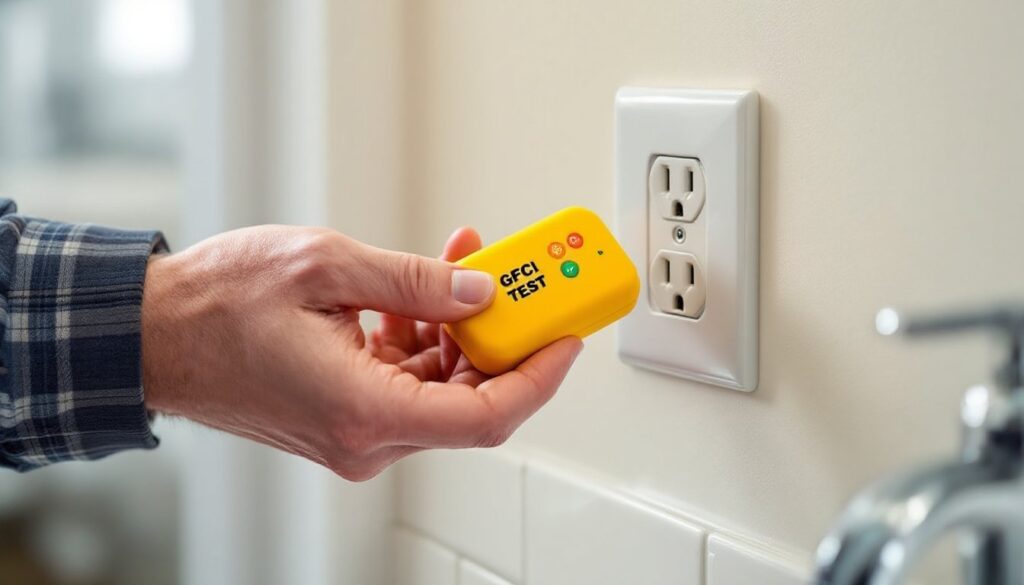
Try a different outlet. Move to another room entirely. GFCI outlets (the ones with “test” and “reset” buttons, common in kitchens and bathrooms) can trip without warning. Press the reset button if you see one.
If the vacuum still won’t turn on after confirming good power, move to the next step. If it powers on but isn’t cleaning well, skip ahead to the brushroll and filter sections.
Inspect and Clear Blockages in the Brushroll
The Duo Clean brushroll assembly is a dual-roller system: a soft front roller and a bristle brushroll behind it. When hair, string, or carpet fibers wrap around these rollers, the motor can bog down or stop entirely, and the vacuum won’t pick up debris.
Unplug the vacuum. Safety first. Never work on the brushroll with the unit plugged in.
Remove the brushroll cover. On most Shark Duo Clean uprights, you’ll find two release tabs or screws on the bottom of the nozzle. Press the tabs or remove the screws (usually Phillips head), then lift the cover away.
Pull out both rollers. The soft roller and bristle brushroll typically slide out once the cover is off. If they’re stuck, gently wiggle while pulling.
Cut away tangled debris. Use scissors or a seam ripper to slice through hair and thread wrapped around the rollers. Work carefully to avoid cutting the bristles or rubber fins. According to vacuum maintenance guides, hair buildup is the number one cause of brushroll failure in homes with pets or long-haired residents.
Check the roller caps and bearings. Each end of the brushroll has a cap that snaps into a bearing on the nozzle housing. Hair can also wrap around these caps, preventing the roller from spinning freely. Clean them thoroughly.
Reinstall and test. Slide the rollers back into place, making sure the belt (if visible) is seated on the brushroll pulley. Snap the cover back on and plug in the vacuum. If the brushroll spins freely now, you’ve solved the problem.
Clean or Replace the Filters
Shark Duo Clean vacuums use foam and felt filters to trap fine dust before it reaches the motor. When these filters clog, airflow drops to almost nothing, and the vacuum loses suction or shuts down to prevent overheating.
Locate the filters. Most models have a pre-motor filter (inside a cylindrical housing near the dust cup) and a post-motor HEPA filter (on the exhaust vent). Check your owner’s manual if you’re not sure.
Remove and inspect. Pull each filter out and hold it up to the light. If you can’t see light through it, it’s clogged.
Wash foam and felt filters. Rinse them under lukewarm tap water until the water runs clear. Do not use soap or detergent: residue can damage the foam. Gently squeeze out excess water, don’t wring or twist.
Air dry completely. This takes 24 hours minimum. Never reinstall a damp filter: moisture will cause mold growth and can short out the motor. Set them on a towel in a well-ventilated area.
Replace HEPA filters annually. HEPA filters (the white pleated ones) are typically not washable. Shark recommends replacement every 12 months with regular use. If yours is gray, matted, or smells musty, it’s time for a new one.
Reinstall and reset. Once dry, put the filters back in their housings and make sure the covers snap shut. A loose filter housing can trigger the same airflow cutoff as a clogged filter.
Many home maintenance checklists recommend cleaning vacuum filters monthly if you have pets or run the vacuum daily.
Examine the Hose and Attachments for Clogs
A clog in the hose or wand is another common reason a Shark duo clean vacuum not working properly. You’ll often hear the motor running at full speed (because there’s no airflow resistance), but the vacuum won’t pick up a thing.
Detach the hose. Most Shark Duo Clean models have a release button where the hose connects to the main body or wand. Press it and pull the hose free.
Inspect both ends. Shine a flashlight through the hose from one end to the other. Look for socks, toys, paper, or compacted pet hair.
Clear the blockage. For soft clogs, try pulling them out by hand. For hard clogs, use a broom handle or a straightened wire coat hanger to push the obstruction through. Work gently to avoid puncturing the hose.
Check the wand and nozzle inlet. Remove the wand from the nozzle (usually another button release) and look into both openings. Clogs often happen right at the transition points where the diameter changes.
Flush with water if needed. If the hose is truly packed with fine dust, take it outside and run water through it. Let it dry completely before reattaching, again, moisture and motors don’t mix.
Test suction. Reattach everything, turn on the vacuum, and hold your hand over the nozzle inlet. You should feel strong suction. If it’s weak, you may have a crack or split in the hose itself, which will need replacement.
Reset the Motor Thermal Cutoff
Shark vacuums have a built-in thermal cutoff switch that kills power to the motor if it overheats. This is a safety feature, not a defect. Overheating usually happens when airflow is blocked (clogged filter, full dust cup, or brushroll jam), forcing the motor to work harder and generate excess heat.
Let the vacuum cool down. Unplug it and wait at least 45 minutes. The thermal cutoff won’t reset until the motor temperature drops below a safe threshold.
Empty the dust cup. Even if it doesn’t look completely full, a packed dust cup restricts airflow. Most Shark models have a “max fill” line, never run past it.
Check for blockages again. Go back through the filter, hose, and brushroll steps. The thermal cutoff doesn’t trip for no reason: something caused the motor to overheat.
Press the reset button (if present). Some models have a small red or black reset button on the motor housing or near the power switch. It’s recessed to prevent accidental presses. Use a pen tip or paperclip to push it until you hear a click.
Plug in and test. If the vacuum runs normally now, you’ve cleared the problem. If it shuts off again within a few minutes, you likely still have an airflow restriction, or the motor itself may be failing.
Repeat thermal cutoffs are a warning sign. According to DIY repair tutorials, if your vacuum keeps overheating even with clean filters and no clogs, the motor bearings may be worn and drawing excessive current. At that point, professional service or replacement is the smarter move.
Test the Brushroll Motor and Belt
If the main vacuum motor runs but the brushroll doesn’t spin, you’ve got a problem with the brushroll motor, the drive belt, or the motor’s electrical connection.
Remove the brushroll cover and rollers. Follow the same steps as the blockage inspection above.
Inspect the drive belt. The belt loops around the brushroll and a small motor pulley. Look for cracks, stretching, or a burnt-rubber smell. A worn belt will slip and fail to turn the brushroll. Replacement belts are model-specific: check the part number in your manual.
Replace a broken or worn belt. Loop the new belt around the motor pulley first, then stretch it over the brushroll. It should be snug but not overly tight. Rotate the brushroll by hand a few times to ensure the belt tracks properly.
Check the brushroll motor. With the cover off, plug in the vacuum and turn it on. (Be careful, keep your hands clear of moving parts.) You should hear the brushroll motor engage. If you hear nothing, the motor may be burned out.
Look for reset buttons on the nozzle. Some Shark Duo Clean models have a second thermal cutoff or reset button specifically for the brushroll motor. It’s usually a small red button on the underside of the nozzle or near the motor housing.
Test electrical continuity (advanced). If you own a multimeter, disconnect the power and test the brushroll motor terminals for continuity. No continuity means the motor winding is open and the motor needs replacement. This is beyond most DIYers: at this stage, consider contacting Shark support or a local vacuum repair shop.
Reassemble and run. If the belt was the issue, the brushroll should now spin freely when you turn the vacuum on.
Conclusion
Most Shark Duo Clean vacuum failures come down to clogs, dirty filters, or a tripped thermal cutoff, issues any DIYer can fix in under an hour. Work through power, blockages, filters, and the brushroll system in order, and you’ll likely find the culprit. If you’ve cleared every obstruction, replaced the belt, reset the motor, and the vacuum still won’t run, the motor itself may be shot. At that point, weigh the cost of professional repair against replacement. But more often than not, a little troubleshooting and elbow grease will have your Shark back in action and your floors clean again.